+86 15093323284 hams@ailunce.com




How to Update RETEVIS RA89R RA89G Firmware with Phone: Bluetooth OTA Update Guide
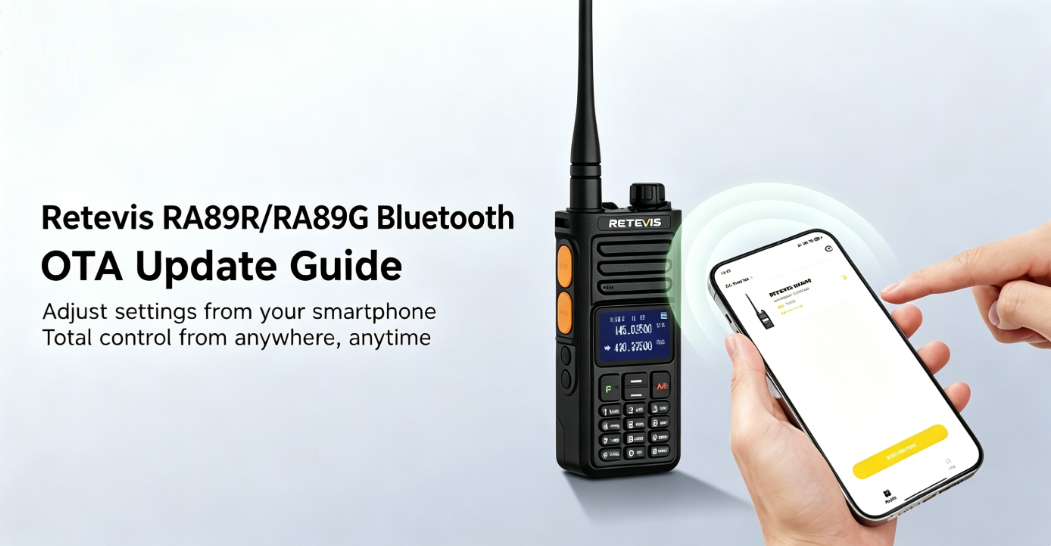
In early June, the RA89R's iOS app was finally released.
You can search RETEVIS on APP STORE or PLAY STORE or download the APP from below link:
Before program RA89R on RETEVIS APP IOS version, please first check your BT VERSION on the radio.
【MENU】> 50th menu 【BT Menu】> Bluetooth Info > BLE Ver > BT VER V1.2.13
If your BT version is not V1.2.13, please follow below operations:
The iOS version uses Apple's TestFlight system — a common method for distributing iOS apps that haven't yet been published on the App Store, including ham radio programming software. Follow these steps exactly:
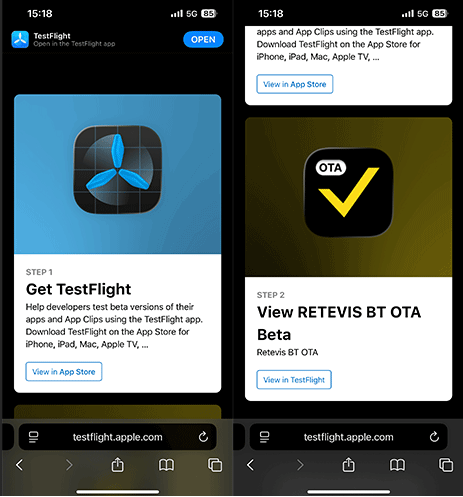
Step 1: Install Test flight and RETEVIS BT OTA
-
Tap this link on your iPhone/iPad to open it. If you’re on a computer, send the link to your iPhone/iPad first.
-
Tap the first link to install TestFlight from the Apple App Store.
-
Once TestFlight is installed, go back to that page and tap the second link to install the Retevis BT OTA app through TestFlight.
Step 2: Prepare Your Radio and Phone
-
Turn on your RETEVIS Ailunce HA2.
-
Enable Bluetooth on the radio.
-
Enable Bluetooth on your phone.
Make sure both devices are within close range of each other — about 1 meter is ideal for a stable bluetooth OTA update. This is required for radio wireless programming and prevents connection drops during the update.
Step 3: Connect and Run the Firmware Update
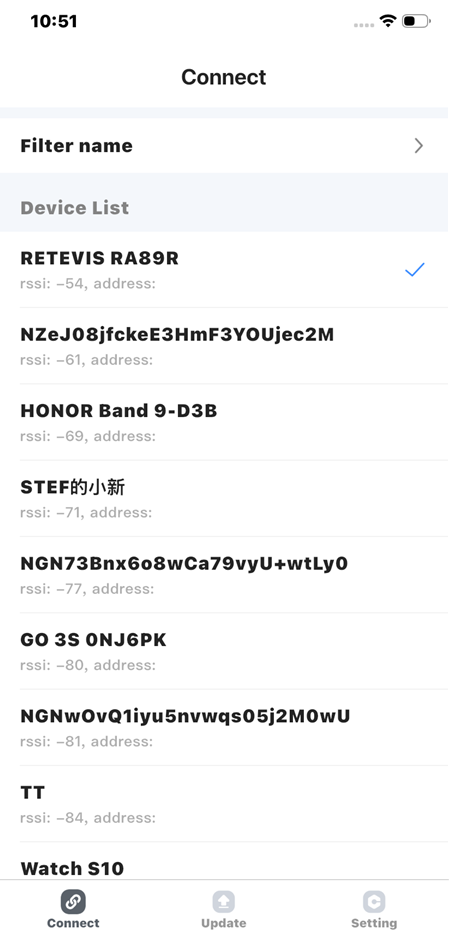
After downloading the RETEVIS BT OTA app and preparing your devices, follow these steps to complete the OTA DFU (Over-The-Air Device Firmware Upgrade) for your RETEVIS Ailunce HA2. These steps match the tutorial video exactly.
-
Open the Retevis BT OTA app on your phone.
-
The app will scan for nearby devices. Find and tap "RETEVIS RA89R" in the list.
-
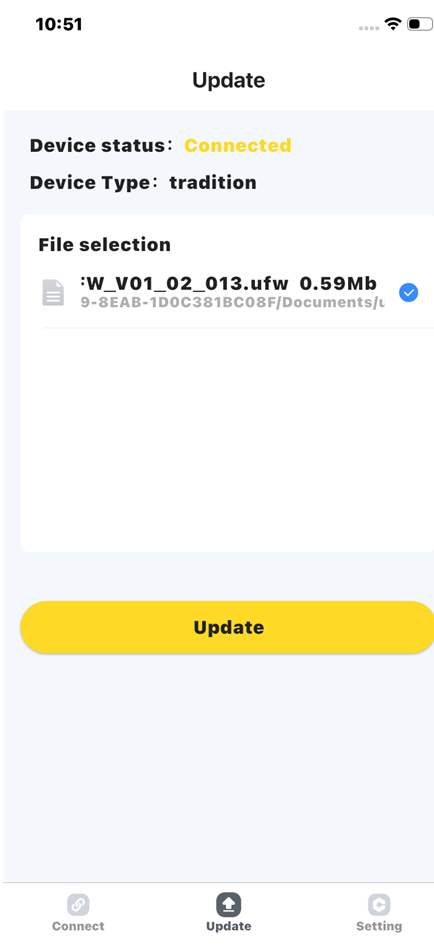
Tap "Update" at the bottom of the screen.
-
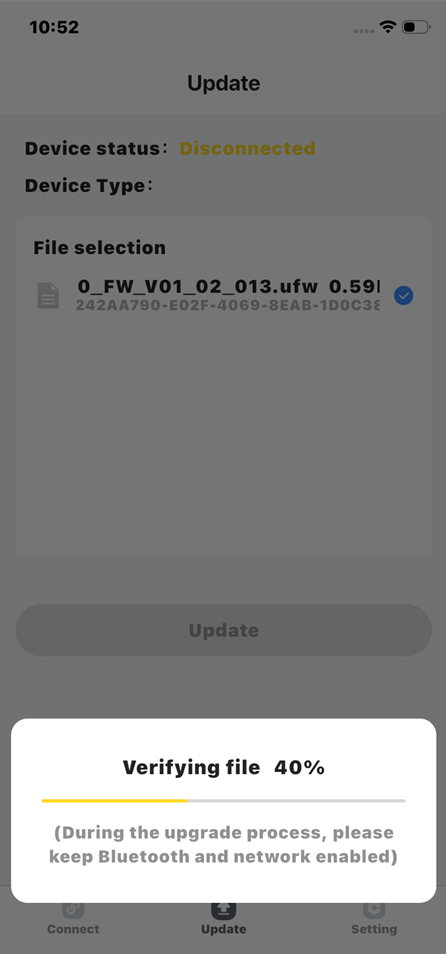
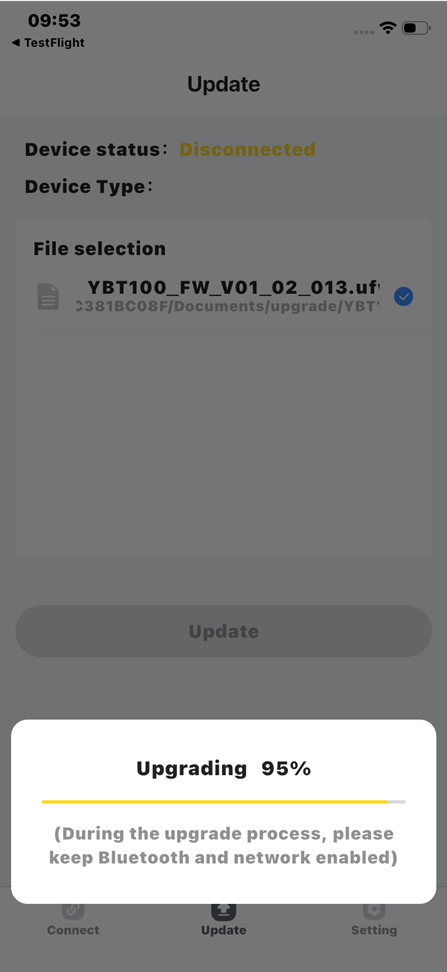
An Update File will appear. Tap "Update" again to start the radio firmware upgrade.
-
Wait for the process to finish. When it's done, your phone screen will show: "Update is complete."
Do not close the app or move away from the radio while the update is running. This can cause the update to fail or corrupt the firmware.
Step 4: Verify the New Bluetooth Version
Once the update is done, you can confirm the new firmware version directly on the RETEVIS Ailunce HA2 to ensure the device firmware update was successful:
-
Press "Menu" on the radio.
- Go to Menu 50.
-
Find "BT Ver" — this shows your current Bluetooth firmware version.
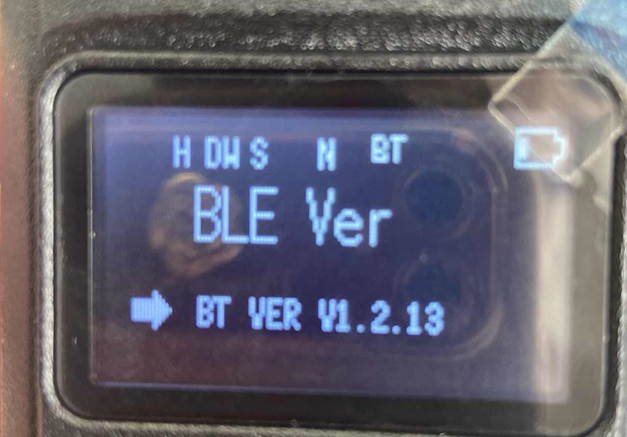
If the version number has changed from what it was before, the bluetooth OTA update was successful.
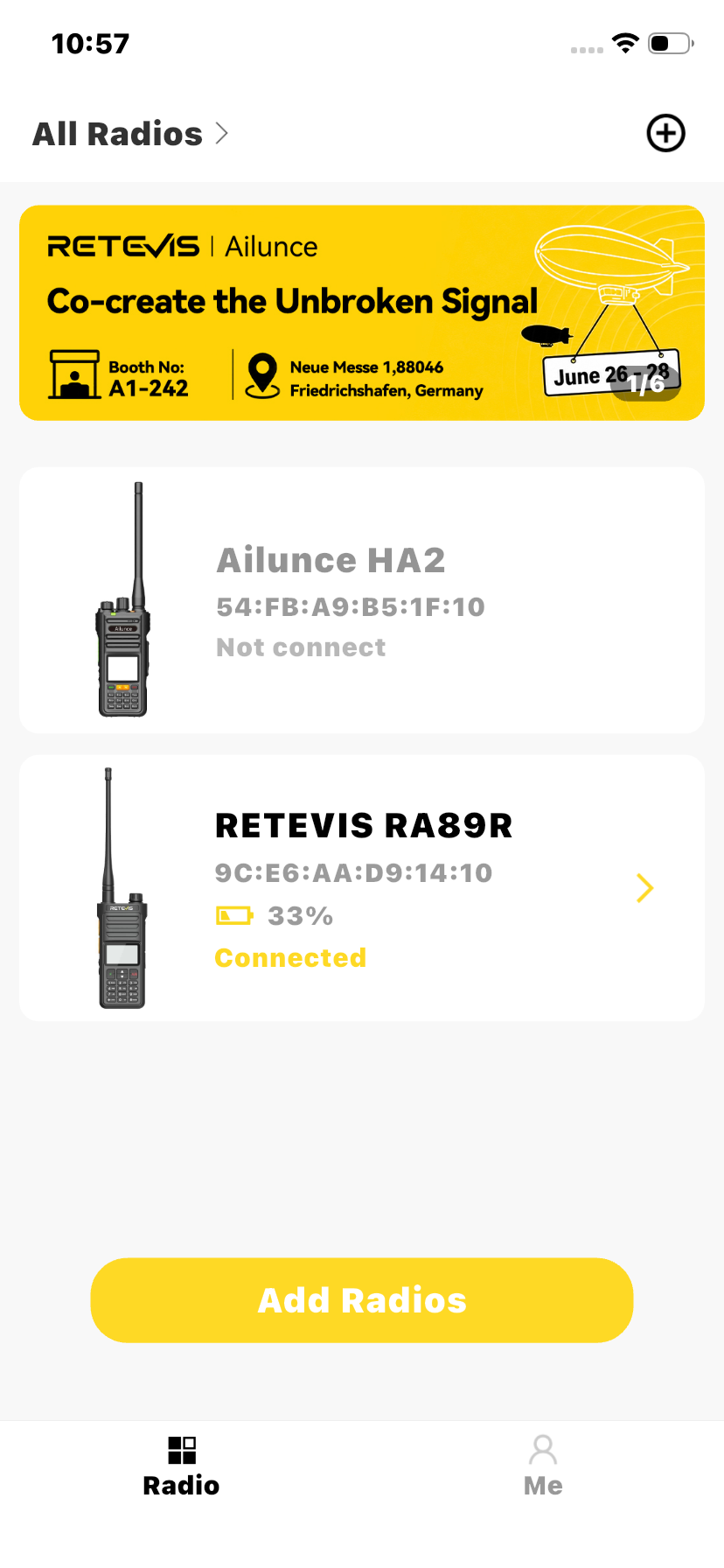
Open RETEVIS APP, pair the model RA89R or RA89G, you can program them wireless.
For Android phone operation guide
Download the Retevis BT OTA App
You need the RETEVIS BT OTA app to perform bluetooth OTA update for your RETEVIS RA89R. Download the correct version for your phone below — the app is free and designed specifically for RETEVIS devices.
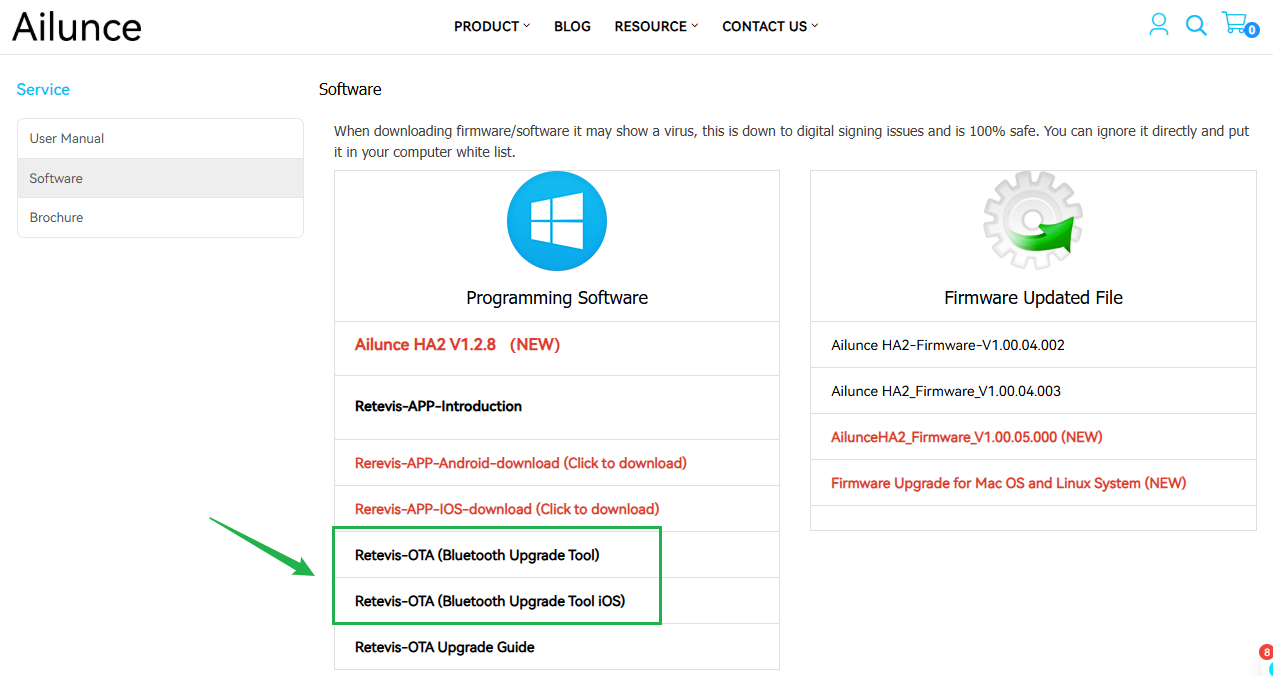
Find the download link click here Tap the link and look for Retevis-OTA (Bluetooth Upgrade Tool) — this is the Bluetooth upgrade tool for Android. Download and install the APK. You may need to allow installs from unknown sources in your phone settings.
This is a radio bluetooth update OTA Android APK — not available on the Play Store, so the direct download link is required. It works for android 6.0 radio bluetooth update and newer Android versions.