+86 15093323284 hams@ailunce.com




How to determine whether Retevis RT3S supports AES256 encryption?
The Retevis CPS v2.41 supports radios that have been updated with the AES256 encryption function.
Check the radio firmware version: if the version starts with 3 numbers, for example V119.**, it indicates the AES256 version.
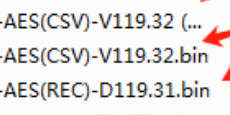
If the radio firmware version starts with 2 numbers, for example S19.**, it indicates the normal version without AES256 encryption. If your radio firmware dose not comes with 3 numbers, cant use the AES256 encryption.
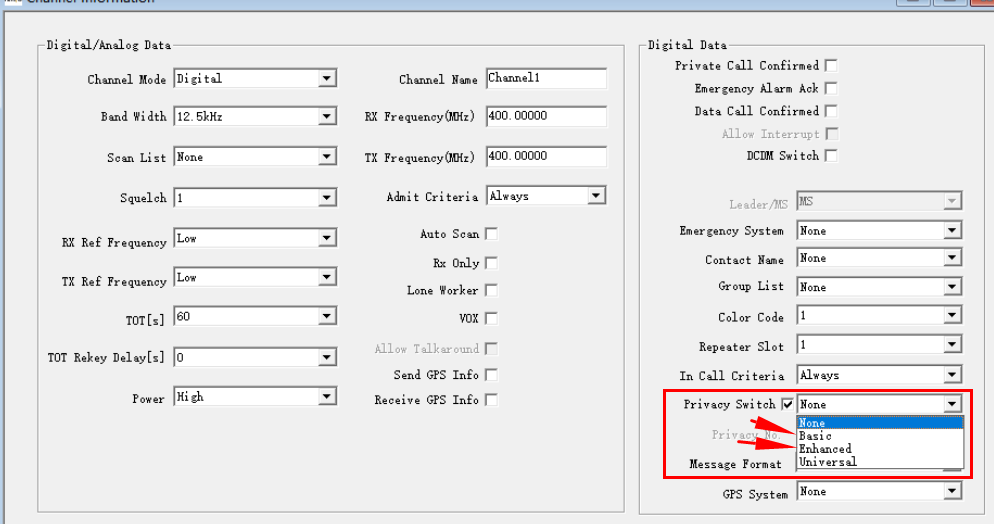
With CPS v2.41, basic/enhanced programming can be applied to radios without AES256, while the universal function applies to radios with AES256.
After installing CPS v2.41, if the universal option is not available, follow the steps below to enable it:
- In the Privacy settings window, press “Ctrl + Shift + P”, and a window will pop up as shown in the picture below: “Please restart the software”.
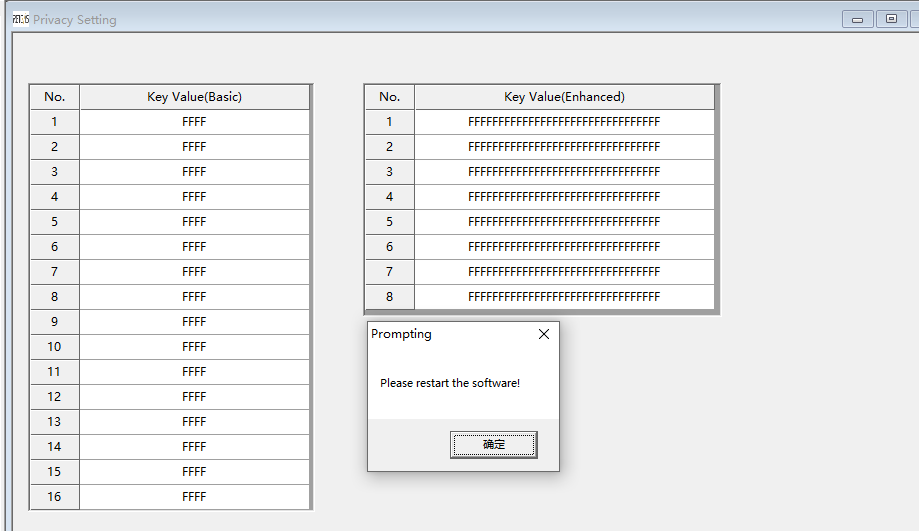
2. Close the software and reopen it; the universal privacy setting will then be available.
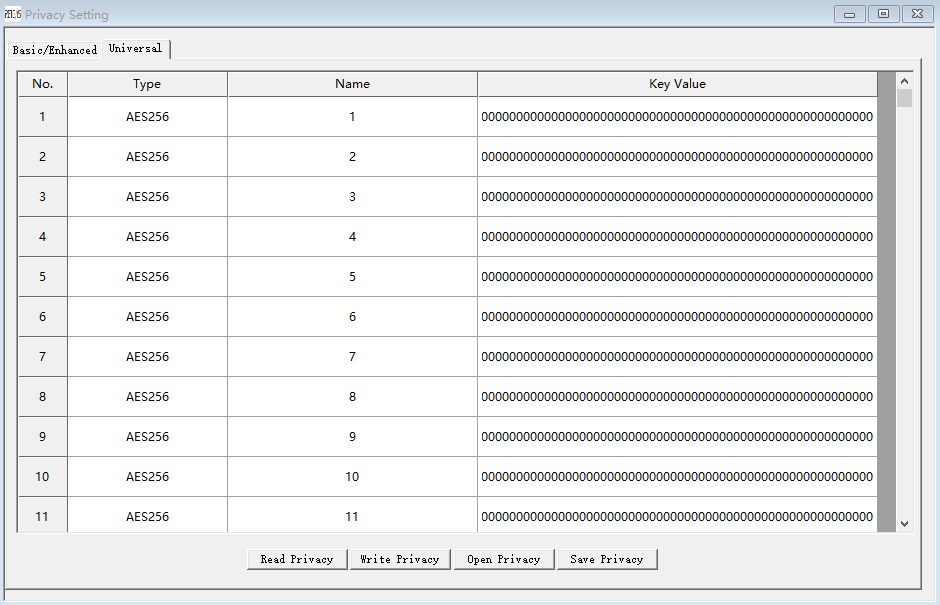
3. Then choose the privacy mode in the digital channel.