+86 15093323284 hams@ailunce.com




Your First DMR QSO: A Beginner's Step-by-Step Guide
You probably expected to tune a frequency, key the mic, and start talking. That is how FM works. DMR does not work that way. Before your first digital contact, the radio needs a few more details.
Once those details are in place, DMR gives you clearer audio and a screen that shows who is calling before they speak. This guide covers the steps for your first contact. Where a specific menu is shown, it uses an Ailunce radio.
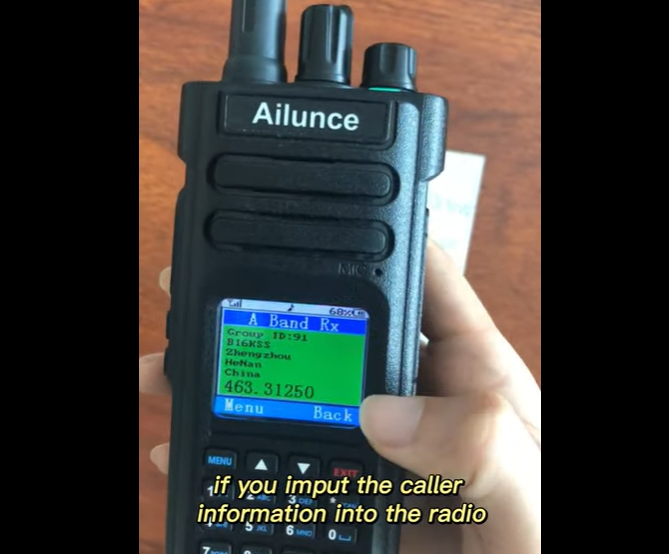
Ailunce HD1 dual band dmr fpp amateur radio - part 6 (how to set a simplex dmr channel)
Five Words You Need First
A handful of terms show up in every DMR setup. Learn these and the menus start to make sense.
Time slot (TS1 or TS2). DMR splits one 12.5 kHz channel into two slots that take turns every 30 milliseconds. Two conversations can happen at once on the same frequency. You must pick one slot. National and worldwide talk groups usually sit on TS1. Regional and local groups usually sit on TS2.
Color code (CC0 to CC15). This is the digital version of a CTCSS tone. Your color code must match the repeater or hotspot, or the radio will not get through.
Talk group (TG). Think of it as a room. Everyone tuned to the same talk group hears the same conversation. TG91 is the worldwide room, for example.
Contact. A stored entry for a talk group or a person. You select a contact when you transmit.
Zone. A folder that holds channels. A channel does not appear on your radio until you put it inside a zone.
Get Your DMR ID Before Anything Else
Every DMR operator needs a unique numeric ID. You apply for it with your call sign at radioid.net. The ID is free, and approval usually takes a day or two.
When the ID arrives, enter it in your radio's general settings. You can build the rest of your setup while you wait.
Build the Code Plug in Five Steps
The code plug is the configuration file your radio uses. You build it in the programming software, often called CPS. Follow this order.
- Enter your call sign and DMR ID.
- Add the talk groups you plan to use as contacts. Set each one to Group Call.
- Create a receive group list. A simple approach is one talk group per receive group. This list decides what you hear on a channel.
- Create a channel. Fill in the frequencies, color code, time slot, the contact you transmit to, and the receive group.
- Add the channel to a zone, save the file, and write it to the radio.
Always test receive before you transmit. If you can hear a talk group, your frequencies and color code are probably correct.
Your Easiest First Contact: Simplex DMR
For your very first QSO, skip the repeater. Use simplex, which means two radios talk directly with no network in between.
A simplex DMR contact needs three things to match on both radios:
- the same frequency
- the same time slot
- the same color code
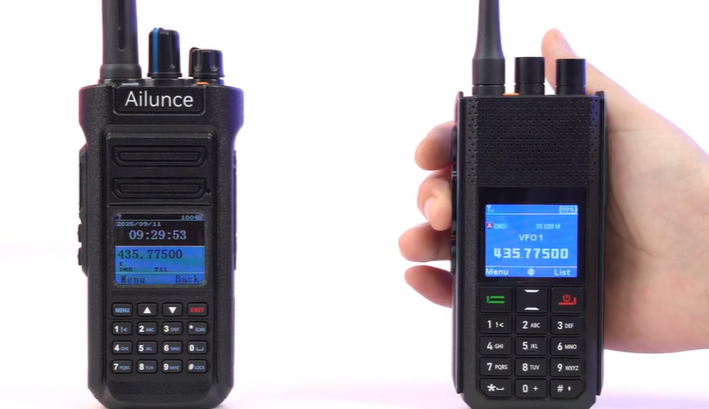
How to Make a Simplex DMR QSO with the Ailunce H1
There is no single worldwide DMR simplex calling frequency, but DMR-MARC publishes recommended simplex frequencies. Common UHF choices include 446.500, 441.000, and 433.450 MHz. VHF choices include 145.790 and 145.510 MHz. Pick one that is legal and clear in your area, and agree on it with the other operator.
To set this on an Ailunce radio:
- Switch to digital mode. In VFO mode, long press the EXIT key to move between analog and digital.
- Open the Band A/B Set menu. Set DMR Mode to Simplex.
- Set the same color code on both radios, usually CC1.
- Set the same time slot on both radios.
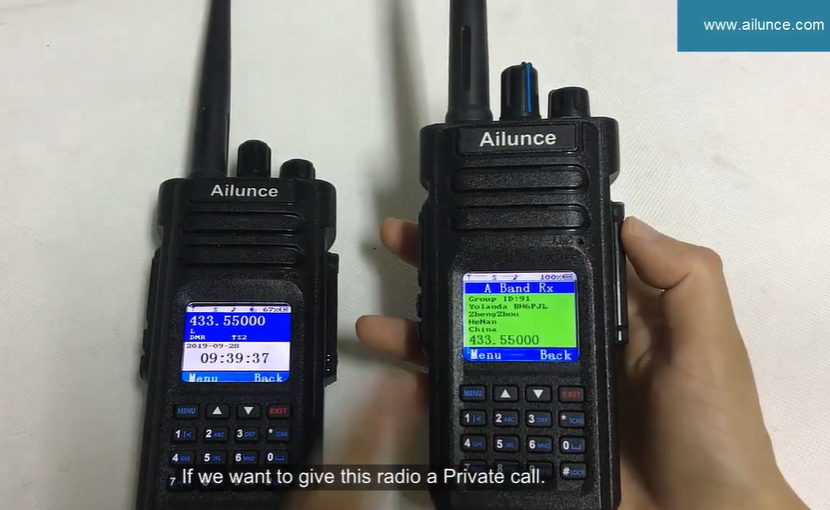
- Select the same talk group contact, or dial the other station's call sign for a private call.
When both radios show the same frequency, slot, and color code, you are ready to talk.
How to Actually Talk
The timing catches most beginners. DMR has no squelch tail like an analog repeater, so you cannot rely on a courtesy beep.
Wait two to three seconds after the other station stops before you key up. This leaves room for network delay and for anyone who wants to break in.
After you press PTT, wait about one second before you speak. The radio needs that moment to sync, or your first words get cut off.
When you open a transmission, state your call sign and the talk group. This helps anyone scanning to identify you. Speak in a normal voice, finish your sentence, and then release PTT.
Try a Hotspot, Then a Repeater
Once simplex works, a personal hotspot is the next step. A hotspot links your radio to the worldwide DMR network over your home internet.
Set the hotspot channel to simplex, with transmit and receive on the same frequency. Most hotspots carry all talk groups on slot 2, and most use color code 1. Confirm these on the hotspot dashboard.
A repeater extends your range over a wider area, and it does not need internet to work on its own. It only uses internet when it is linked to a network such as BrandMeister. A personal hotspot is the device that always relies on your home internet to reach the network.
No separate hotspot hardware? An Ailunce HD2 with V3 firmware (V3.1.9 or later) adds Terminal mode and Hotspot mode. In Terminal mode, connect the HD2 to your computer with the programming cable and run the free BlueDV software. Your computer links the radio to BrandMeister over its internet connection. You can then make worldwide contacts without a separate MMDVM hotspot. The HD2 software support page walks through the full setup: https://www.ailunce.com/supports/hd2-software/
When you finish with a talk group on a network such as BrandMeister, disconnect it so it does not stay active. On many systems you do this with a private call to talk group 4000.
Private Calls
DMR also supports one-to-one private calls. On an Ailunce radio, you can set these up three ways: in the programming software, through front panel programming, or by manually dialing the other station's call sign. Private calls follow the same timing rules as group calls.
If Something Does Not Work
If you cannot hear the other station, check your receive group list or turn on promiscuous mode. Promiscuous mode lets you hear every call on a time slot, even if the talk group is not in your list.
If the radio will not transmit, check the color code and the TX admit setting. A wrong color code blocks the call.
If your first words are always clipped, you are speaking too soon after PTT. Add the one-second pause.
If nobody appears at all on simplex, you may simply be out of range. Simplex on a handheld reaches a mile or two, depending on terrain.
Start Small
Do not try to program every talk group on day one. Get your DMR ID, build one simplex channel, and complete one direct contact with the three matching settings. That first QSO proves the radio works. After that, add a hotspot, explore talk groups, and let the screen show you who is calling.